This is the final upload for the music video and it is available on You tube.
DIRECTED BY DANIEL ACHEAMPONG
EDITED BY ABDULLAH EZZAT
CINEMATOGRAPHY BY JORDAN PATTERSON
PRODUCED BY MENA RAMSIS
Monday, 7 February 2011

Friday, 4 February 2011
THE FINAL COMPLETED CD COVER/DIGIPAK DESIGN WITH AUDIENCE FEEBACK TO EACH PRODUCT
 Back of CD cover
 Front of CD cover
 Inside Cover 1
 Inside cover 2
Feedback on the CD cover overall
To receive audience feedback for my CD cover, I uploaded all of this on Facebook. From uploading the CD cover on Facebook, I received views and comments which asssisted me with my feedback where improvements/adjustments could be made before the final copy is given in. I was told from the potential audience that they thought the CD cover was really good and that there was a limited amount of changes to be made on the product. The audience enjoyed how the CD cover followed the rap codes and conventions which was quoted by a consumer 'I like the colour scheme and the framing of the shots. It really meets the US codes and conventions. They said the CD cover relates to the magazine advert and to the music video but they said I should consider using different colours to represent the video maybe blue as most of the video is shot in light as I have put the CD cover in red and black which makes the CD have a dark shading to it
I asked the potential audience what could be done to improve the CD cover, one viewer pointed out- there is not really anything you have to improve, I like the framing and camera shots you have chosen, well done.
I spoke to the audience to tell me what should be in the CD cover- they mentioned biography, a mini advert, lyrics of the music video song, colloborations with other artists etc.. When creating the inside cover, I listened to what the audience said to meet the codes and conventions of the rap genre. They said the whole colour theme of red, black and white being integrated was interesting and the images in black and white was good as part of the video was shot in black and white.
For the back cover, I took a side angle shot of the artist looking away from the camera where the audience said this wass seen to be good as it was breaking the codes and conventions in film and media. The audience said, the shot was nicely framed and suited the back of the CD cover and it also related to the music video.
Wednesday, 2 February 2011
The Look Doc for the Music Video- let me flow
Costume | Set | Props | Lighting | Colour Scheme | Camera Style | Editing Style | Special FX | Performance | Kinetics |
For the music video, the main setup for the artist clothing was mostly hoodies, jeans and casual trainers as this matches the codes and conventions of other grime/rap music videos we have seen as opposed to other music videos you will see where in a boy band there will be people wearing skinny jeans, blazers, boots/high dunks. Our clothing style for the music video follows the conventions of the music video. | The setting for this music video is based at London city at Kilburn where it consists of grimey estate and worn down houses with secluded pathways. | There are no prop used for this video | The lighting will remain in bright light. I will use high key lighting and top lighting in the music video to bring out a glamorous look in the artist. | The colour scheme for the music video is red, black and white as these are dominant colours in music videos that I have seen in other rap music videos. I will relate the colour scheme of the music video to my magazine advert and CD cover design. | The camera style for this video will have a variety of shots and angles as camera depends on distance and angle of an individual shot. There will be mostly tracking shots, mid shot, mid close-ups, side angle shots, straight eye level angle shots, establishing shots and point of view shots etc... All of these shots and different camera angles will be used to create a different meaning to the video. | The editing style for the music video will include rapid cuts as the soundtrack to the song is very fast and has an upbeat tempo. The edits that will be used are jump cuts, fade in and fade outs, dissolves, eye line match and straight cuts to the actual action. All of these different types of edits bring a different meaning to what is being seen and shot from 1 scene to another. | There will be a couple of special effects that will be used and the editor Abdullah, will undertake this where me as the director will give a help in hand to make sure that the effects used are correct to what we want to relate to. | The performance will be unlimited as the artist will express his emotions and feelings to the audience as this will be done through open body language and facial expressions. | There will be a lot of movement involved in the music video but there will be some scene shots where the artist is stationary and is just looking right at the camera. |
my new magazine advert design
This magazine advert design will be with some parts of the baackground but most of it will be cut out.
The magazine will be changed from black and white into colour.

The magazine will be changed from black and white into colour.

Photoshop and Indesign complications
Recently, I have been working on my media magazine advert and cd cover digipak design. Since it has been a while that I have used these programs, I have forgotten how to do a couple of things. This is where I looked on you tube tutorials and also looked on studyspace to make my CD cover and music magazine advert. I have now made my front and back cover of my CD cover and yet to do the inside of my CD digipak design.
Here are a couple of tutorials I went through which has helped me overall with my magazine advert and CD digipak design.
http://www.youtube.com/watch?v=WcJbN8CA49c- this tutorial showed me how to remove unwanted elements in a photo.
http://www.youtube.com/watch?v=94BMoqtur1Q- this tutorial showed me how to get rid of things on the face which smoothens and sharpens the facial features which was helpful.
http://www.youtube.com/watch?v=-kjg3f7kaAM&feature=related- this tutorial helped me removed backgrounds and create different effects.
Here are a couple of tutorials I went through which has helped me overall with my magazine advert and CD digipak design.
http://www.youtube.com/watch?v=WcJbN8CA49c- this tutorial showed me how to remove unwanted elements in a photo.
http://www.youtube.com/watch?v=94BMoqtur1Q- this tutorial showed me how to get rid of things on the face which smoothens and sharpens the facial features which was helpful.
http://www.youtube.com/watch?v=-kjg3f7kaAM&feature=related- this tutorial helped me removed backgrounds and create different effects.
New music video upload for let me flow to come on blog
As a group, we realised our music video was not in the correct framing that it was shot in when we filmed it. We also thought that there was just something missing from the music video especially in the chorus. We then explored to try out variables in the music video. As the director, I tried out quads where the screen is split in 4, I tried out split screens from horizontal and vertical positions, screen colour changes to create effects, slow motion, strobe effect. I experimented these variables and decided to use split screen in my music video product as the split screen used created a nice effect. I have now added split screens to the music video which will be the final uploaded copy for the video with correct framings which is 4:3. The new uploaded final copy of the music video will be up on the blog and all the other copies of the music video will be left on the blog to show initial ideas we had in mind that we wanted to use as we now have a hange to the video.
Friday, 28 January 2011
cd cover/digipak design for the music video
 I have decided for the CD cover to be in black and white as some parts of the video are desaturated [black and white] where I feel that this picture looks more effective and brings out a nice tone in the bakground and artist facial features. I wanted to do a medium close up and side angle shot showing a bit of the exterior location just for the audience to get the view of the diegesis. I intend on using this brick wall for graffiti writing which would blend in with the locations used in our music video product. The CD cover will be called Just An Idea.
 Magazine Advert Design

This is what I would like to use for my media magazine cover. I want to bring in the codes and conventions of American rap where most rappers look away from the camera when taking a picture where this photo focuses predominantly on the artist's facial featuresnd expressions. From this photo, we can see that the artist look serious, predominant, important and in charge. I will use the background of this photo for my music magazine advert as this goes with our music video as it relates to the grimey locations/areas we shot our footage. The background is considerable a nice feature of the photo as it represents the type of area he could be from/where the video could have been shot. The costume is a significant factor of the photo as it represents the artist's status, personality and job/role. I want to use the key light to make sure the photo stands out and creates a glamorous look in the actor.
Monday, 13 December 2010
rough cut of music video completed with text included
Today, I have been able to finish the syncing of the music video with rapid cuts and have also included casting and the crew names. A rough cut has been completed by the whole group and as the director I have assisted the editor in the selection of clips we want to use for our media product. I have done some syncing and some cuts by myself as being the director I would want a good view of how the video would be like as this is why I have been around in the editing suite to make sure everything is concise and correct when it comes to selection and construction of footage. I have also put in text at the start and end of the music video which represents the name of the song, the artist and the crew. As the director, I have decided that there should be about 3 to 4 special effects used in the music video as too many special effects may make the video lose its originality.
Tuesday, 7 December 2010
the look doc for music magazine advert
Costume | From what I have shown the audience what the artist’s costume is like, I would follow the codes and conventions to meet the needs of the target audience. For this type of genre of music which is rap, the audience would expect the artist to wear a hoody, baggy/slim fit jean, sunglasses, chains, watch and a baggy top. |
Set | The setting for the music magazine will be in an exterior location where there will be a different backgrounds to reveal the artist’s features in the magazine advert. Maybe there will be a light grey setting red set or a white background. |
Props | The props/objects that will be used are chains, watches, a microphone, maybe sunglasses, headphones, hat, watches and earrings. This is to match the codes and conventions of our music video in the magazine advert. As these props are mostly used in all rap magazine adverts. Compared to a rock magazine advert, where it would be associated with guitars, dark clothing and tattoos exposed to reveal the artist’s features. |
Lighting | The lighting will be bright in the music magazine advert. The lighting I will use in my advert is top lighting to create a glamorous look in the artist. |
Colour Scheme | The colour scheme will most probably be red, grey and white as all these colours will bring out a desirable look in the artist. The reason why I am choosing these colours because these are colours that are associated with rap magazines adverts most predominantly red. |
Camera Style | As I want to make sure I reveal the artist’s features I will use a medium close up shot which is from head to waist. I will take this shot at a straight eye level angle. |
Editing Style | - |
Special FX | For special effects, I may use fades and I will experiment the effects from Photoshop and in design to see what effects I can use in creating meaning. |
Performance | - |
Kinetics | - |
Monday, 6 December 2010
editing suite [screen grabs]
Today, Monday 6th December 2010 me and my group did some more editing and syncing. We have also decided to put a whole master shot in our music video as I intend to cut in and out of the master shot with other footage clips that I have. We also took some screen grabs/screen shots today to show evidence of editing and progress throughout the music video. Here are the screen grabs that were taken today.


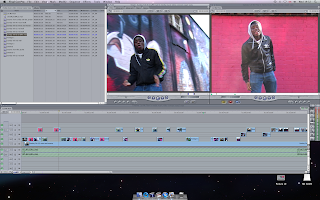


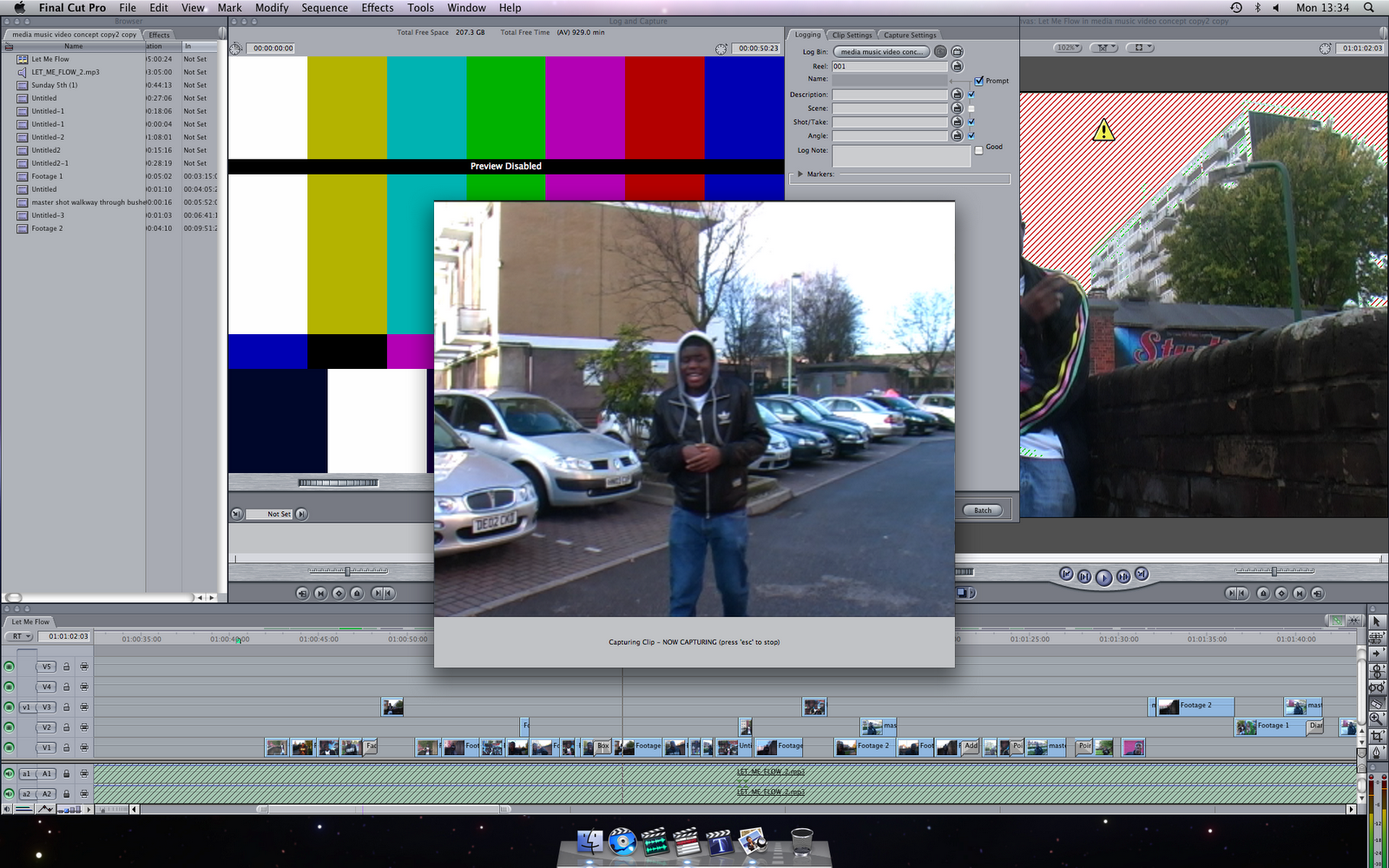


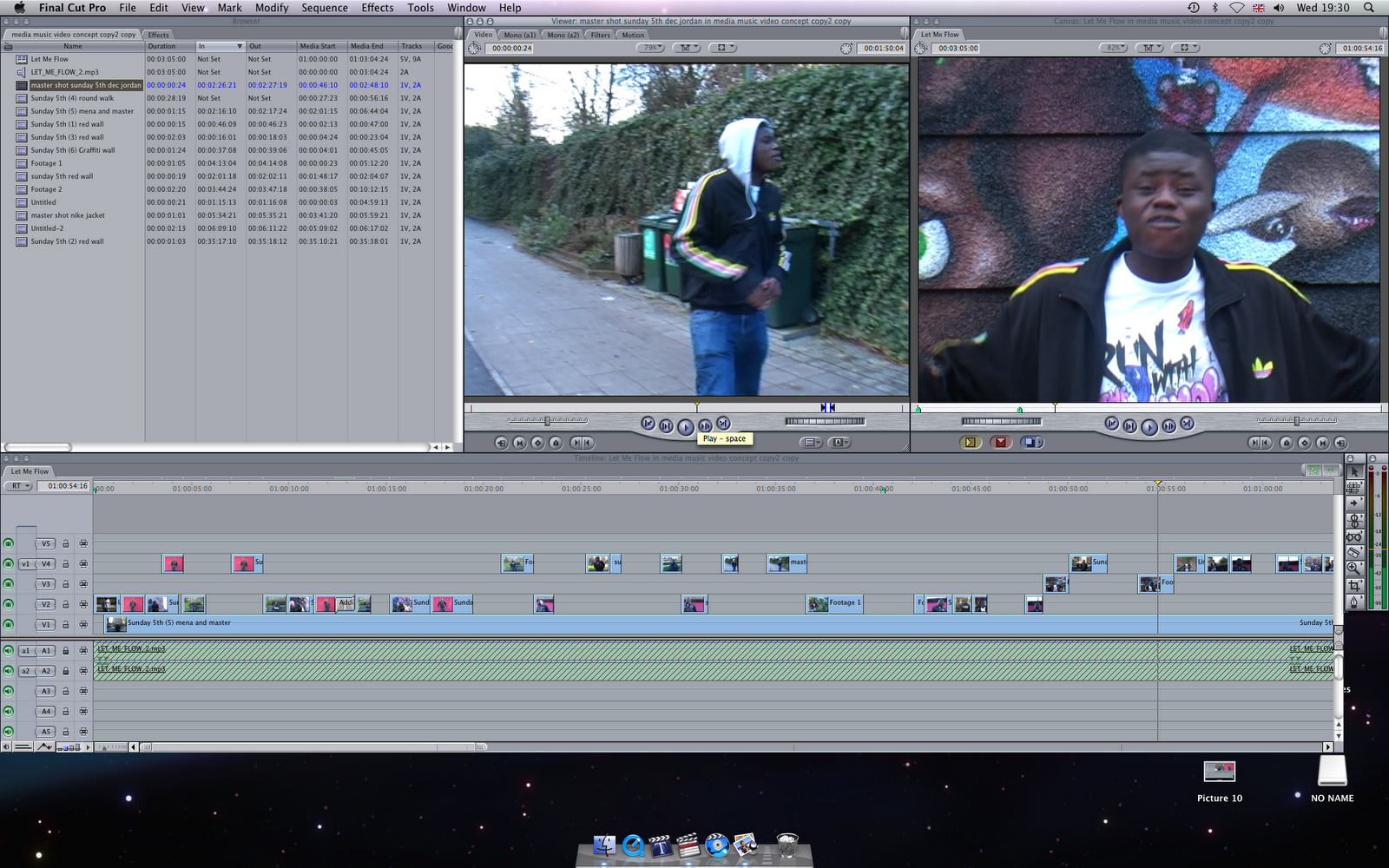


The outlook I am trying to achieve from these screen grabs are
to portray the artist through mise en scene, camera and editing. This is shown through locations and setting used in these screen grabs where he is seen as a young london boy that has grew up in an urban area. The clothes he is wearing portays that it is a rap video with the hood, baggy clothes and facial expressions. His body language is mostly open which shows how he expresses his emotions towards the audience as meaniful and optimistic. Colour and lighting has been contrasted here which is very important. I have left lighting to be bright and colourful as we want to focus on the artist's features from different camera angles. Camera has been very important here as we have seen that camera angles and shots create different effects to position the audience. We have used various amounts of camera shots such as mid shot, long shot, close ups, straight eye level angle shot, high angle shot and low angle shot.
Monday, 29 November 2010
this is the 4th shooting day and a brief description of what we as a group put together.
Shooting Day 4 Location: Kilburn Park Duration- 1hr 15 minutes
Cast- Concept Crew-Abdullah Jordan Daniel Mena Date: Sunday 28th November 2010
As a group, we all met at Kilburn Station at around 1030am and went to go meet the artist at Kilburn Park Station at 11.00am.
On Sunday 28th November 2010, my group and I did some reshooting at different locations and we also created some new footage with other locations. I wanted to undertake 1 master shot at a location that hasn’t been explored yet. Firstly, before we started shooting, I made sure that that all risks can be avoided as some shots were done on a road, near cars and unsteady ground. Abdullah and Jordan were the two cameraman that shot the first scene. The first scene was the artist standing in front of a red wall with a straight eye level angle where he rapped the 2nd and 3rd verse. After I wanted to do another shot of this but with a low angle shot which allows up to look up to the character where the artist had moderate closed body language. The next shot we explored was a side tracking shot of the artist where he was walking alongside a graffiti wall. There was a steadicam camera movement when conducting this shot which focused directly on actions and framing the camera shot correctly. At the end of the shooting day, Abdullah and Jordan both filmed a master shot around secluded estates where the artist was just walking and rapping in front of the camera. I took photographs on this day to show the different types of camera footage that was taken and produced as it is important to keep a good record of production photos for the music video.
editing suite process
On Monday 29th November 2010, Abdullah and I went through our footage and Abdullah also got some editing done. Later on in the day, I stayed back and looked at more footage. I was responsible for the syncing so that the lyrics on the screen match the audio/instrumental played. I managed to sync a few parts in where we have nearly finished our rough cut. I have also become confident in using the editing system when making the music video and I have learnt very quickly to adapt to the technical side of the media process. Throughout the music video as I said earlier I have been responsible for sync and so has Abdullah as he has played a big role in the editng of the video and has done a great job in selecting good footage to use to put in the system. Jordan and Abdullah have also made a good attempt in camerawork from my direction in the video as I feel the effective camera shots and angles will allow the music video to become a profitable product by targeting a mass market.
Tuesday, 23 November 2010
Sin City effect
http://www.youtube.com/watch?v=5MgXAw56YCg
This is a tutorial for the sin city effect and as the director I will explore to use this in the editing suite.
As a group, we managed to use the sin city effect for our music video and it worked our really well. It allowed us to isolate some colours that we didn't want to use in the video. The sin city effect allowed me to correct colours such as make harsh effects on a piece of clothing or make the clothing seem to be more brighter so that it is more effective.
Overall, the sin city effect was very useful in the making of the music video.
This is a tutorial for the sin city effect and as the director I will explore to use this in the editing suite.
As a group, we managed to use the sin city effect for our music video and it worked our really well. It allowed us to isolate some colours that we didn't want to use in the video. The sin city effect allowed me to correct colours such as make harsh effects on a piece of clothing or make the clothing seem to be more brighter so that it is more effective.
Overall, the sin city effect was very useful in the making of the music video.
editing suite learning process
Over the past few weeks, my group and I have been using the editing suite to start editing our music video. As the director, I have learnt a lot about the technology side of making the music video and it has been very interesting. Also the editor Abdullah, tried out some effects for the music video which was a glow effect. We used a colour correction to make sure the scenes in the video are contrasted properly. A new effect called glow boom is something we tried out while editing which is where you hold cmd [COMMAND] Shift then press 3 which makes the background and atmosphere look very bright depending on how the colour is adjusted in the scene.
Monday, 15 November 2010
shooting day 3 overview monday 15th november
Shooting Day 3 Location: South Kilburn Estate Duration-1hr
Cast- Concept Crew- Daniel Abdullah Mena Jordan Date: Monday 15th November
As a group, we rescheduled the video shooting from Sunday 14th November to Monday 15th November due to transport issues, availability and flexibility on the day.
On Monday 15th November, my group and I explored a few master shots and we did some re-shooting and some new shooting. As the director, I wanted to explore different locations that we haven’t used. As a group we shot more of the chorus, more of verse 1 at various locations, verse 2 at a number of locations and we shot verse 3 at many locations. A good amount of shooting was done today as we wanted enough footage to allow some good time for editing and cuts in the video when we use the editing suite. As the director, I took part in using the camera as we explored different camera shots, movements and angles. A trombone shot was used effectively at straight eye level angle in ensuring framing was correct. Actions and hand movements had to be very effective in creating a sense of mood and suspense. All actions and hand movements by the artist has shown how the artist expresses himself towards the spectators in showing his real emotions. A number of hand held camera shots were used and some shots needed a tripod which would rather just focus exactly on the artist. Hand held camera focused on the location, setting, artist movements and body language which would be open or closed. Everything on this day was performed and set to schedule as we did not go overtime and as a group, we managed to fit in all the aspects of creative selection in making an effective construction for the media product.
Thursday, 11 November 2010
uploading footage on screen
I have uploaded footage in the editing system and I have analysed what we will keep and delete as some things need to be reshot on the next shooting day. I have been responsible for the sync for the music video which is making sure that the artist's mouth movements go with the lyrics of the song in time. I have improved my practice by using the editing system and overtime I have made a few adjustements to the music video. The sync has been done already for parts of the song as myself and the group need to capture more footage to put into the edditing system.
Monday, 8 November 2010
tape log sheet 1
Editor- Abdullah Hezzat Production Title- Media Music Video [let me flow]
Date- Tuesday 26th October 2010 Tape No. 1 Sheet No. 1
Date- Tuesday 26th October 2010 Tape No. 1 Sheet No. 1
Time code | Shot No. | Take No. | Description | Comments/ Technical Info |
04:05-05:10 | 1 | 1 | Walking down pathway at a straight eye level angle shot focusing on costume design and body language. Steady zoom out from the artist. | Camera zoom out was shaky which created a wobbling effect which we did not want. I scheduled another shooting day to retake this shot to make sure the camera had a steady zoom out. |
05:19-07:24 | 1 | 1 | Walking down pathway again at a straight eye level angle with medium shot | Zoom out was too rapid and not in a flowing steady movement. Another shot had to be taken for this. |
07:24-10:20 | 1 | 1 | Walking down pathway at a low angle shot with a steady zoom | The footage was good and useable as there was good camera framing and positioning here which made the shot look very effective. |
10:20-39:12 | 1 | 1 | Walking down pathway at a straight eye level shot | Good footage but smudge appeas on lens of the camera which made the footage unusable. |
39:15-41:24 | 2 | 1 | Walking down secluded road from a long shot and a slow zoom in | Very good footage where the cameraman maintained a steady zoom in the shot where this was hand held. |
44:12-53:16 | 1 | 2 | Walking down pathway at a long shot. | The downfall in this was that part of the artist's clothing was showing around the corner where we actually wanted the audience not to see him from around the corner. We reshot this on another shooting day and got better footage from it. |
54:20-1:20:00 | 1 | 2 | Walking down pathway at a long shot | Good footage overall. |
Time Code | Shot No. | Take No. | Description | Comments/Technical Info |
1:20:00-1:32:20 | 1 | 2 | Walking down pathway at a medium long shot focusing on artist's movement. | Good footage but smudge appears which makes footage unusable. |
1:40:00-2:03:20 | 3 | 1 | Balcony- medium shot of artist focusing on costume and facial expressions | Good footage overall as camera framing was very good. |
2:06:15-2:29:15 | 3 | 2 | Balcony- low angle shot of artist portraying him as predominant and superior. | Good footage |
2:30:07-2:36:18 | 4 | 1 | Walking down stairs- at a low angle shot making him look powerful. | Good footage but rain marks appear which makes footage unusable. We have reshot this now where we have replaced the new footage with the old one. |
2:44:12-2:49:20 | 2 | 2 | Walking down secluded road | Good footage [useable] |
2:51:20-2:57:06 | 4 | 2 | Walking down stairs at low angle | Water marks and Smudge marks which makes the footage not useable at all. We have decided we wouldn't use walking down the stairs as a location anymore. This is where we used other locations instead of this one. |
03:07:21-03:09:15 | 2 | 3 | Walking down road at a medium shot with a tilt down to reveal the artist. Focusing mainly on performance and actions in this footage | Very good footage and is usuable for music video. |
Time Code | Shot No. | Take No. | Description | Comments/Technical Info |
3:10:20-3:20:13 | 5 | 1 | Graffiti robot wall where we shot a high angle of the artist. | Good footage [useable] |
3:20:21-3:34:00 | 6 | 1 | Graffiti wall alongside road where shot was executed very well with a low angle shot focusing on facial expressions and body language with a mid close up shot. | A good shot but rain marks affect this shot in being usable. This shot has been reshot and have now used it in the music video. |
3:35:19-4:13:41 | 7 | 1 | Leaning against the wall at a straight eye level shot. | Various zoom speeds which makes camerawork very basic and limited. |
4:14:00-4:19:16 | 7 | 2 | Leaning on wall at a mid close up shot of artist | Unusable footage as lines appear on footage. |
4:20:18-4:48:12 | 7 | 3 | Leaning on wall at a low angle shot focusing on artist facial features with various zoom ins and zoom outs. | Good footage and very usuable as there is good framing technique used. |
4:48:12-4:53:27 | 7 | 3 | Leaning on wall with a straight angle shot. | Shaky camera, not steady. We have reshot this as a camera with tripod shot. |
4:53:27-4:59:20 | 7 | 3 | Leaning on wall at a low angle. | Good footage and usuable for music video. |
Subscribe to:
Posts (Atom)